
Age Verification Online: Privacy, Age Gates & Teen Safety
Last updated
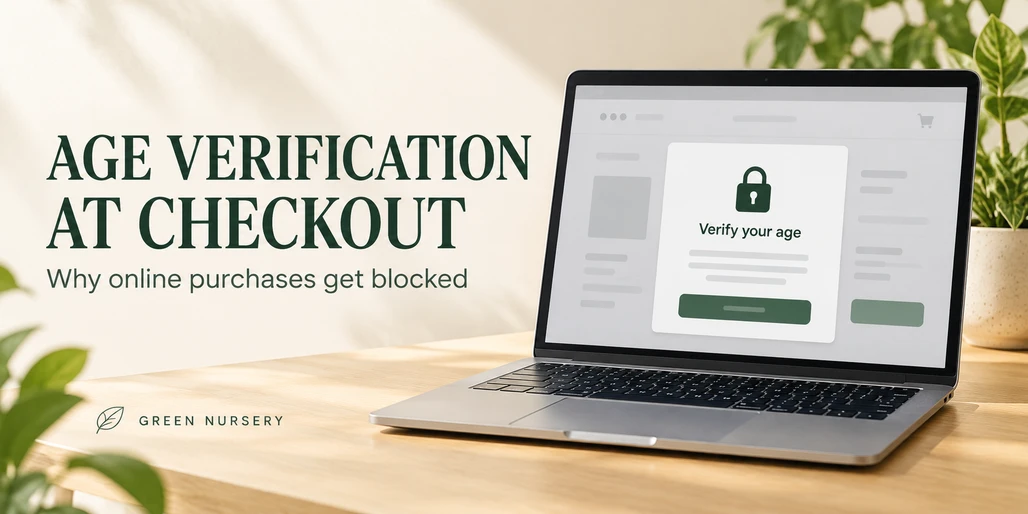
Why Can't I Buy This Online? Age Verification at Checkout Explained
Your cart is ready, but checkout stops and asks you to verify your age. Before doing anything else, find out whether the message means you do not meet the purchase requirement or the system could not confirm your information.
If you are below the required age, stop the purchase. If you meet the requirements and the check is wrong or incomplete, use the store's official support process to resolve it. This guide explains the difference, what to ask about a blocked order, and how to assess an ID request before sharing personal information.
Does a failed age check mean you are too young?
Not necessarily. AgeChecker.Net's verification terms acknowledge that data used in a check can be incomplete, inaccurate, or unavailable. They also describe possible service interruptions. An unsuccessful result therefore needs an explanation before you can identify the appropriate next step.
Use the exact wording on the screen. These are possible categories, not a diagnosis of any particular store's system:
| Message or situation | Question to resolve | Next step |
|---|---|---|
| Minimum age not met | Does your actual age meet the stated purchase requirement? | If it does not, stop. If the recorded information is wrong, ask about correction. |
| Information could not be verified | Was eligibility rejected, or was the evidence insufficient? | Request an explanation and the official review options. |
| Review pending or service unavailable | Is a decision still outstanding? | Follow the status instructions and ask when to check back. |
| Product cannot be shipped | Is the restriction about the item or destination? | Read the shipping policy and ask the merchant to clarify. |
| Order or payment status unclear | Was an order created, and what happened to the payment? | Contact the merchant with the order reference, if one exists. |
Shipping and order review are separate issues to check. For example, Green Nursery's order and purchase terms allow orders to be delayed, refused, or canceled when information is incomplete or unverifiable, or when fulfillment restrictions apply.
Why does an online store ask for your birthday or ID?
Age verification helps a retailer establish whether a shopper meets its purchase requirements. The process can involve a separate verification company. Veratad describes approaches that include checking identity information and documents, with the process varying by business.
A request for ID can follow an unsuccessful automated check. AgeChecker.Net, for example, says its service uses a shopper's name, address, and date of birth and can request a photo ID when automatic verification is unsuccessful. Its explanation of checkout verification also distinguishes the opening age prompt from the verification associated with a transaction.
Being able to browse a store does not mean a purchase has been approved. Likewise, entering payment details should not be treated as confirmation that all age and order requirements have been satisfied.
These providers are examples of how verification can work. Their documentation does not establish which provider a particular retailer uses.
What to do if you meet the requirements but verification fails
Start with the retailer's published instructions. Keep the process focused on correcting an actual error or supplying legitimate evidence of your own eligibility.
- Save the exact error message. Note when it appeared and any case or order reference. Remove personal information before sharing a screenshot.
- Check the information you entered for accuracy. If your own details contain a mistake, ask how to correct it through the official process.
- Ask which review options are available. A merchant may offer an approved document check or manual review. Do not assume every store offers the same options.
- Confirm the order status. Ask whether the order is pending, canceled, or awaiting information, and what happens next.
For a concrete example, AgeChecker.Net's customer FAQ says the name on an ID must match the order information and the submitted birthday must match the ID. Follow the specific provider's instructions for your own valid documents.
Who should you contact?
Use the support route named in the checkout notice or the store's help pages. Providers handle support differently: Veratad directs individual shoppers to the business requesting verification. Questions about an order, payment, or shipment belong with the merchant.
A useful first message is:
Checkout shows "[exact message]." Please confirm whether this is an age-eligibility decision, an information mismatch, or a pending review. What official steps are available, and what is the status of my order?
Keep identity documents out of that initial message unless the verified support process specifically requests them through an appropriate submission channel.
Two hypothetical situations, with different outcomes
An eligible adult receives an incorrect result
Imagine a 24-year-old customer facing a 21-and-over purchase requirement. The checkout cannot confirm their information. The customer asks the store to identify the problem and follows its approved review process using accurate personal information. Review may resolve the error, but approval is not guaranteed.
A teenager is below the purchase requirement
Now imagine a 17-year-old facing the same requirement. The age decision is accurate. The appropriate response is to stop the purchase. An accurate age decision does not require an error-correction process.
For a teen who already shared personal information or submitted payment, the useful next step is to ask a trusted adult for help contacting the merchant about the information or transaction.
What should you check before uploading an ID?
Before submitting a document, find clear answers to these questions:
- Which company collects the information?
- What information is required, and for what purpose?
- Does the retailer receive the document, selected details, or a verification result?
- What is retained, for how long, and by whom?
- How can you request correction or challenge an inaccurate result?
These questions reflect the UK Information Commissioner's Office's transparency guidance for age assurance. It is a useful privacy checklist; the guidance does not create identical rights in every country.
Read beyond a statement that an ID image is deleted. AgeChecker.Net's customer privacy policy describes different treatment for ID images, identifying information, and technical records, with retention affected by the service and merchant requirements. Deleting an image does not necessarily delete every associated record.
What if the request arrives by email or text?
Verify an unexpected request independently. The FTC explains that phishing messages can impersonate companies and claim there is an account or payment problem. Contact the business through a website or number you already know is genuine before acting on a suspicious message.
If you are uncomfortable with the information required, pause and ask whether an approved alternative exists. You can decide not to continue the purchase.
Does a hemp or CBD label change the purchase requirement?
Do not use a product label as permission to buy. Green Nursery's adult-use policy says its products are intended for adults who meet the legal age required in their location. Its shipping policy also identifies product-specific destination restrictions.
For cannabis and hemp products, review the requirements for the actual product, location, and retailer. An age check does not answer every question about whether an order can be fulfilled. For broader context about product compliance, our guide to THC limits and hemp testing explains the role of cannabinoid measurements and testing.
Green Nursery's privacy policy explains how customer information is handled and how to request corrections or deletion where permitted. A privacy notice's reference to an age group should not be read as a blanket purchase-age rule.
Frequently asked questions about age verification at checkout
Can I skip verification because I already passed the opening age screen?
The opening prompt does not establish that checkout requirements have been met. Follow the store's purchase-verification process if you are eligible. If you are below the required age, stop the transaction.
Can an eligible customer verify without uploading ID?
Some systems can confirm information automatically, while other situations require documents. Ask which methods the specific store officially accepts. There is no universal alternative that every retailer must offer.
Can parental permission replace the purchase requirement?
Do not assume it creates an exception. Ask about the actual product rules and store policy. A parent's approval does not establish that a teenager meets an adult purchase requirement.
What if I entered my birthday incorrectly?
Ask the retailer how to correct your own inaccurate information through its official process. Use your actual date of birth. Correcting a mistake is appropriate; changing information to appear eligible is not.
Does a payment confirmation mean age verification is finished?
Do not assume so. AgeChecker.Net's checkout documentation explains that, depending on the merchant's setup, its verification request can occur after payment. Ask the merchant to confirm both the verification result and the order status.
Will failed verification automatically trigger a refund?
Ask the merchant. Request confirmation of whether payment was taken, whether the order was canceled, and which refund policy applies. A failed verification message alone does not answer those questions.
Is uploading an ID guaranteed to be safe?
No online process can offer a blanket guarantee. Confirm the request is authentic, review the provider's privacy and security information, and understand what records it keeps before deciding whether to proceed.
Who can explain a Green Nursery checkout problem?
Contact Green Nursery with the error message and any order reference. Ask for clarification of the applicable requirement and the official next step. Avoid including identity documents in a general inquiry.
Popular Products
Check out these customer favorites.